
No products in the cart.
Return To ShopIs iPhone Battery Replacement in Honiton Worth It?
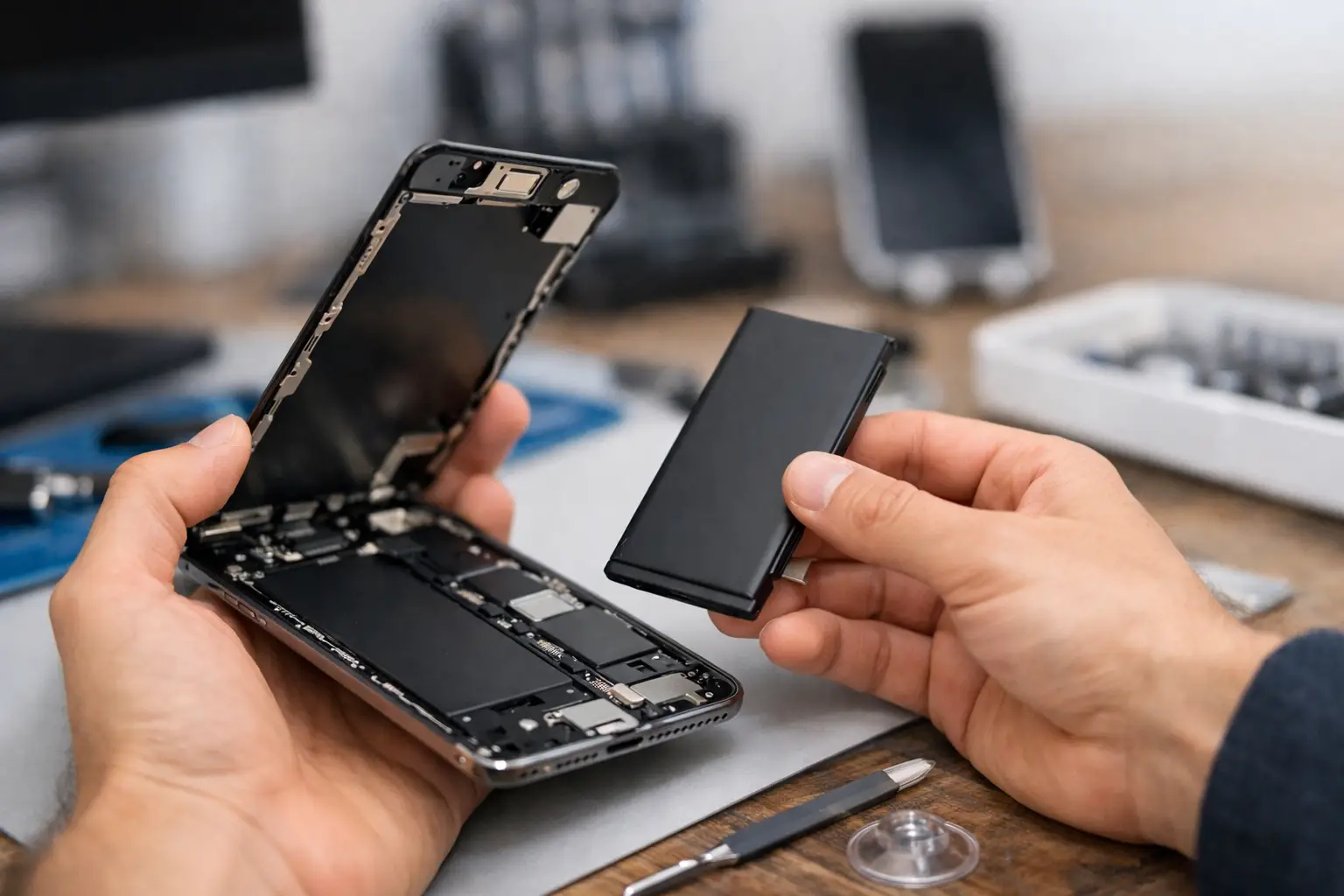
Your iPhone used to get through the day without you thinking about the battery. Now you’re reaching for a charger by lunchtime, watching the percentage drop while you’re barely using it, or finding the phone switches itself off even though there appeared to be charge remaining.
If you’re considering iPhone battery replacement in Honiton, the first question is whether the battery really is the problem. If it is, replacing a worn battery can be one of the most worthwhile repairs you can make to an otherwise perfectly good iPhone.
We see plenty of iPhones at FoneFix where there is very little wrong with the phone itself — the battery has simply reached the point where it no longer provides the running time it once did. In that situation, replacing the battery can make far more sense than spending hundreds of pounds replacing a phone you’re otherwise happy with.
When an iPhone battery needs replacing
Every rechargeable battery wears out eventually. As an iPhone battery ages and goes through more charge cycles, the amount of energy it can store gradually reduces. Heat and the way the phone has been used over its lifetime can also affect how quickly this happens.
A good place to start is Settings → Battery → Battery Health & Charging. Here you can check the battery’s Maximum Capacity and see whether your iPhone is reporting any battery or performance-related warnings.
Battery Health is useful, but we wouldn’t diagnose a phone from that percentage alone. How the phone actually behaves is just as important. Rapid battery drain can sometimes be caused by apps, software, poor mobile signal or another fault, so short battery life doesn’t automatically mean fitting a new battery will solve the problem.
Common signs of a worn or failing battery include:
- the battery percentage drops much faster than it used to
- the iPhone shuts down unexpectedly, particularly when the charge gets low
- you need to charge the phone more than once a day even though your usage hasn’t really changed
- battery life becomes noticeably worse when using maps, video, the camera or other demanding apps
- the phone becomes sluggish or behaves unpredictably as the battery gets low
- a battery service warning appears in Settings
- the battery has swollen and started lifting the screen away from the frame
A swollen battery needs to be treated differently from one that’s simply worn out. If the screen is lifting or the phone appears to be separating, don’t try to push it back together, puncture the battery or continue charging it to see what happens. Switch the phone off if possible and have it inspected.
It’s also important to recognise what a battery replacement won’t fix. If your iPhone only charges when the cable is held at a particular angle, for example, the problem could be the charging port, cable or another part of the charging system.
Likewise, an iPhone that suddenly becomes unusually hot while doing very little, repeatedly restarts or develops severe battery drain overnight may need diagnosis before any parts are replaced.
The important thing is to establish what’s actually wrong rather than simply replacing the part that seems most obvious.
iPhone battery replacement in Honiton: what actually happens
Replacing an iPhone battery isn’t simply a case of opening the phone and dropping another battery in.
The handset needs to be opened carefully without damaging the display or internal components. The original battery is disconnected and the adhesive securing it inside the phone is safely removed before the replacement battery is installed.
While the phone is open, it’s also an opportunity to spot obvious signs of previous repair work, liquid damage or anything else that could affect the repair.
Once the replacement battery has been fitted, the iPhone is reassembled and tested. We check that it powers up correctly, charges normally and that the functions affected by opening the handset are working as expected before it goes back to the customer.
Many common iPhone battery replacements can be completed the same day, depending on the model, battery availability and the condition of the phone.
If we find something unexpected that changes what we’d recommend, we’d rather discuss it with you before carrying on than fit a battery that may not solve the problem.
Modern iPhones can also display battery or parts-related information following a replacement. Exactly what appears depends on the iPhone model, the battery fitted and the repair method used. This relates to Apple’s parts identification and pairing systems and doesn’t automatically mean there is anything wrong with the replacement battery.
If a particular model is likely to display a battery-related notification following repair, that’s something that should be explained rather than left for you to discover afterwards.
Water resistance is another subject where it’s important to be realistic. Opening an iPhone disturbs its original factory seal. Appropriate replacement sealing adhesive can be fitted where applicable when the phone is reassembled, but we wouldn’t describe a previously opened and repaired iPhone as waterproof.
Is a battery replacement right for your iPhone?
For many iPhones, absolutely.
If the screen is good, the cameras work, you have enough storage and the phone still does everything you need, replacing a worn battery can be excellent value.
You also avoid the expense and inconvenience that comes with changing phones — transferring photos and other data, signing back into apps, setting up banking and authentication apps and getting everything working the way you had it before.
The biggest clue is often how much the battery is affecting everyday use.
Perhaps the phone works perfectly well but can’t make it through a workday without being charged. Maybe you’re carrying a power bank everywhere or avoiding navigation, video calls and taking photos because you’re worried about the battery running out.
At that point, the battery isn’t just showing its age — it’s getting in the way of using the phone normally.
There are also occasions when we’d question whether spending money on a battery makes sense.
If an older iPhone also has a badly damaged screen, unreliable charging, camera problems or several other faults, it’s worth looking at the overall condition and value of the handset before deciding what to do.
Sometimes repairing it is still the sensible option. Sometimes putting that money towards another phone makes more sense.
Repair should be the right option for the phone, not simply the automatic option.
Why replacing the battery can make an older iPhone feel better
A worn battery doesn’t only affect how long an iPhone lasts between charges.
As batteries age, they can become less capable of supplying the peak power the phone occasionally needs. Under certain circumstances, iOS can manage performance to reduce the likelihood of unexpected shutdowns.
If poor battery condition is responsible for that behaviour, replacing the battery can improve both reliability and performance.
That doesn’t mean fitting a new battery magically turns an older iPhone into the latest model.
If the phone is slow because its storage is almost completely full, an app is causing problems or the hardware is simply struggling with newer software, a replacement battery isn’t going to fix those issues.
Where the battery genuinely is the problem, though, the improvement can be very noticeable in normal everyday use.
You can leave home without immediately thinking about where the next charger is, use maps on a journey, take photos and make calls without constantly watching the percentage in the corner of the screen.
There’s also an environmental benefit to repairing a phone that still has plenty of useful life left. Replacing one worn component rather than an entire handset keeps an otherwise usable device in service for longer and reduces unnecessary electronic waste.
That doesn’t mean every old iPhone should be repaired indefinitely, but a worn-out battery on its own certainly doesn’t have to mean the end of the phone.
Before bringing your iPhone in
We recommend backing up your iPhone before any repair.
A normal battery replacement shouldn’t require your data to be erased, but your phone probably contains photos, messages and other information that would be difficult or impossible to replace. Having a current backup is simply good practice.
You can use iCloud or make a backup to a computer, whichever works best for you.
If you rely on banking apps, authentication apps, an eSIM or work-related systems, it’s also sensible to make sure you know the passwords and details you’d need if you ever had to sign back in.
For a straightforward battery replacement, you generally only need to bring the phone itself.
If charging is also part of the problem, however, tell us exactly what you’ve noticed. If a particular cable, charger or plug seems to trigger the fault, bringing it with you can sometimes help us work out what’s happening.
Those small details matter. A phone that doesn’t hold charge properly and a phone that doesn’t receive charge properly can feel very similar to the person using it, but they don’t necessarily need the same repair.
Local repair without the runaround
There are several ways to have an iPhone battery replaced, and a manufacturer repair route may be the right choice for some people.
For others, being able to bring the phone into a local repair shop, explain exactly what it’s doing and speak directly to someone who can assess it is considerably more convenient.
FoneFix is an independent phone and tablet repair shop in Honiton, Devon, with more than 15 years of experience repairing mobile devices. We help customers from Honiton and across the surrounding East Devon area, including Axminster, Sidmouth, Seaton and Cranbrook.
If your iPhone battery needs replacing, we’ll explain the repair and the options available. If the symptoms suggest the battery might not actually be the problem, we’d rather establish that before replacing anything.
You can check iPhone repair options, prices and book a repair online before visiting the shop.
If your iPhone has reached the point where you’re planning your day around finding a charger, it doesn’t necessarily mean the phone itself has reached the end of its useful life.
Sometimes a worn battery really is all that’s standing between a frustrating iPhone and one that’s perfectly usable for another few years.