
No products in the cart.
Return To ShopWhy Does My Android Phone Keep Showing Pop-Up Ads?
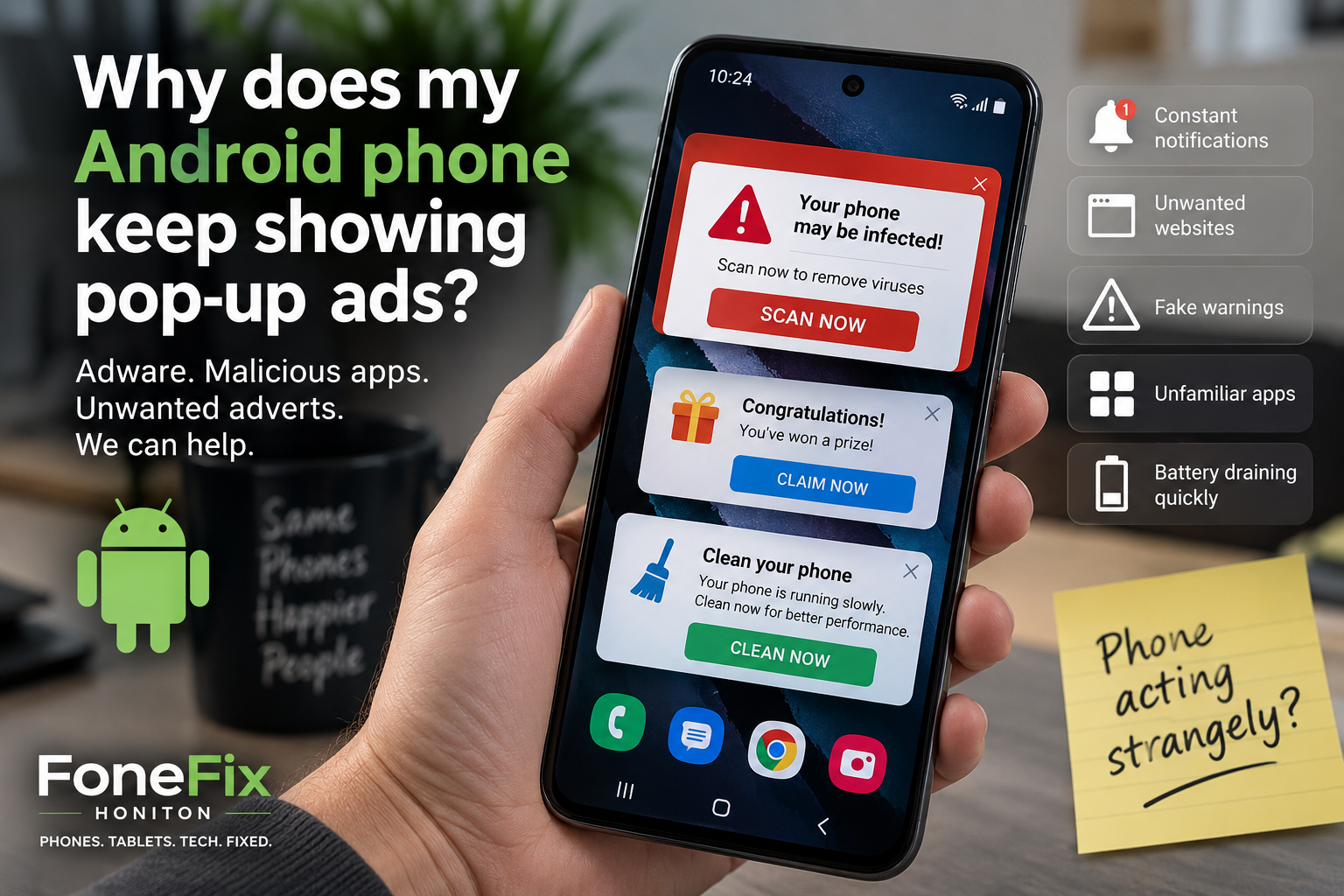
Why Does My Android Phone Keep Showing Pop-Up Ads?
If adverts have suddenly started appearing on your Android phone when you’re not even using a web browser, there’s a good chance the problem isn’t the phone itself.
We’ve recently seen an increasing number of Android phones brought into FoneFix with intrusive adverts, fake warnings and unwanted apps. In some cases, adverts appear over the home screen every few minutes. Others constantly display notifications, open websites by themselves or encourage the owner to install yet another “cleaner”, “security” or optimisation app.
The good news is that these problems can often be fixed without replacing or factory-resetting the phone.
The important part is identifying what is actually generating the adverts and removing it properly.
Why are adverts suddenly appearing on my Android phone?
Normal advertising inside a free app is one thing. Adverts appearing on your home screen, lock screen or over completely unrelated apps are different.
When we see this behaviour, one of the first things we look for is an unwanted or malicious app installed on the phone.
These apps aren’t always obvious.
You might expect something malicious to have a suspicious name and icon, but we’ve seen troublesome apps disguised as perfectly ordinary utilities. Weather apps, PDF readers, QR scanners, cleaners, launchers and other seemingly useful tools can all be abused by developers to deliver intrusive advertising.
That doesn’t mean every weather or PDF app is dangerous. Most aren’t. The problem is identifying the particular app responsible rather than deleting things at random.
How did the unwanted app get onto my phone?
In many cases, the owner remembers installing something shortly before the adverts started.
Sometimes they don’t.
An app may have been installed after following an advert, responding to a misleading warning or downloading something that appeared legitimate. Permissions can then be granted without the user realising what they’re allowing the app to do.
We’ve also encountered another situation that’s particularly easy to overlook.
Problems can follow you onto a new Android phone
Buying a new phone doesn’t necessarily leave every software problem behind.
When data and apps are transferred from an old Android phone to a new one, previously installed apps can be restored onto the replacement device too. That means an unwanted app associated with problems on the old phone may end up on the new handset.
We’ve seen this happen with customers who have moved to a new Samsung phone and found that the same sort of unwanted behaviour followed them.
If we’re investigating recurring adware, knowing whether the phone was recently set up using Samsung Smart Switch or another phone-transfer service can therefore be useful.
What do Android adware problems look like?
The symptoms vary, but some of the common ones include:
- Full-screen adverts appearing unexpectedly
- Ads appearing when you’re on the home screen
- Constant advertising notifications
- Browser pages opening by themselves
- Fake virus or security warnings
- Messages claiming the phone needs cleaning
- New or unfamiliar apps appearing
- Battery draining unusually quickly
- The phone becoming slow or hot
- Being repeatedly directed towards other apps
One of the biggest warning signs is an advert appearing outside the app you would normally expect it to come from.
If you’re playing a free game that contains adverts, that’s normal.
If you’re reading a text message and suddenly get a full-screen advert for a completely unrelated product, something deserves investigating.
Why installing another cleaner app isn’t necessarily the answer
When a phone starts displaying warnings and adverts, it’s tempting to search the Play Store for a cleaner, booster or antivirus app.
Be careful.
Installing more applications without knowing what’s causing the original problem can make diagnosis harder, and some questionable apps deliberately present themselves as utilities designed to fix exactly the problems they’re helping to create.
Android already includes security features such as Google Play Protect, which can check installed apps for potentially harmful behaviour.
Running those checks is sensible, but we wouldn’t assume that a clean scan automatically means there isn’t an unwanted app causing the problem.
How can I find the app causing pop-up adverts?
Start by thinking about when the problem began.
Look through recently installed applications and consider whether anything was added around that time.
Pay particular attention to apps you don’t recognise or no longer use.
You can also check which apps have permission to display over other applications, send notifications or perform other elevated functions. An unfamiliar application with unusual permissions deserves closer inspection.
However, don’t simply start deleting system applications because you don’t recognise their names. Android phones contain many legitimate services and components that aren’t intended to be opened directly.
If you’re uncertain, it’s better to establish what an app is before removing it.
Can Google Play Protect remove malicious apps?
Google Play Protect is built into Android devices with Google Play Services and regularly checks applications for potentially harmful behaviour.
It’s worth making sure Play Protect is enabled and running a scan if you suspect something unwanted has been installed.
It can identify and warn about certain harmful applications and, in some circumstances, disable or remove them.
However, not every annoying application necessarily meets Google’s definition of malware. An app can still be extremely intrusive or undesirable without being detected as malicious.
That’s why we also look at the behaviour of the phone and the applications installed rather than relying entirely on one scan.
Do I need to factory reset my Android phone?
Usually, not as the first step.
A factory reset can remove unwanted software, but it also removes your apps, accounts and locally stored data. Restoring everything afterwards can be inconvenient, particularly if photographs, messages or authentication apps haven’t been properly backed up.
More importantly, if you then restore the same troublesome application from a backup or previous phone, you may simply bring the problem back again.
We’d rather identify and remove the cause where possible before resorting to wiping the entire device.
There are situations where a factory reset is appropriate, particularly if a phone has been heavily compromised or the problem can’t be reliably isolated. But it shouldn’t automatically be the first response to every pop-up advert.
What should I do if I think my Android phone has malware?
Don’t interact with suspicious pop-ups or follow links claiming your phone has a virus.
If an unexpected message asks you to install an app, enter banking information, call a telephone number or provide account details, don’t do it.
If you’re concerned that you’ve entered a password into something suspicious, changing that password from a trusted device is sensible. Banking or financial concerns should be reported directly to the relevant provider.
For an Android phone that’s simply being bombarded with adverts, the next job is identifying what’s generating them.
If you’re not sure where they’re coming from, our Not Sure What Repair You Need? page explains how to get help with faults that don’t fit a standard repair.
Android adware and malicious app removal in Honiton
We’ve been seeing more Android phones at FoneFix Honiton with unwanted adverts, suspicious applications and other software-related problems.
Rather than immediately wiping the phone, we’ll investigate what’s installed and look for the likely cause of the unwanted behaviour. Where possible, we’ll remove the offending software and check the phone for other obvious problems.
We’ll also explain what we’ve found. That’s important because understanding how the problem probably happened can help prevent exactly the same thing happening again.
If you’ve recently changed phones, it’s worth telling us whether your apps and data were transferred from an older Android device too.
FoneFix is an independent phone and tablet repair shop in Honiton, Devon, with more than 15 years of repair experience.
If your Samsung, Google Pixel, Motorola or other Android phone has suddenly started displaying unwanted adverts or behaving strangely, bring it into FoneFix Honiton and we can take a look.
You can also contact FoneFix Honiton if you’d like to discuss the problem first.
This is the direction I’d take, but before we publish this particular article I’d like to improve it one stage further using your actual recent cases.
For example, you’ve recently dealt with a phone where you cleaned the malicious apps, it came back again, you discovered suspicious PDF/weather-type apps, and there was reason to suspect the problematic apps had originally existed on the customer’s old phone and transferred across during Smart Switch.
That is excellent first-hand material. We don’t identify the customer or make unsupported claims about a particular app, but something like “We recently dealt with a phone where…” would make this article genuinely difficult for Soro or another repair website to replicate.
That’s exactly how we start producing content that’s better than automated SEO content, rather than merely writing our own version of it.